
Notes and tools
Building an Linux AI testbed out of spares.
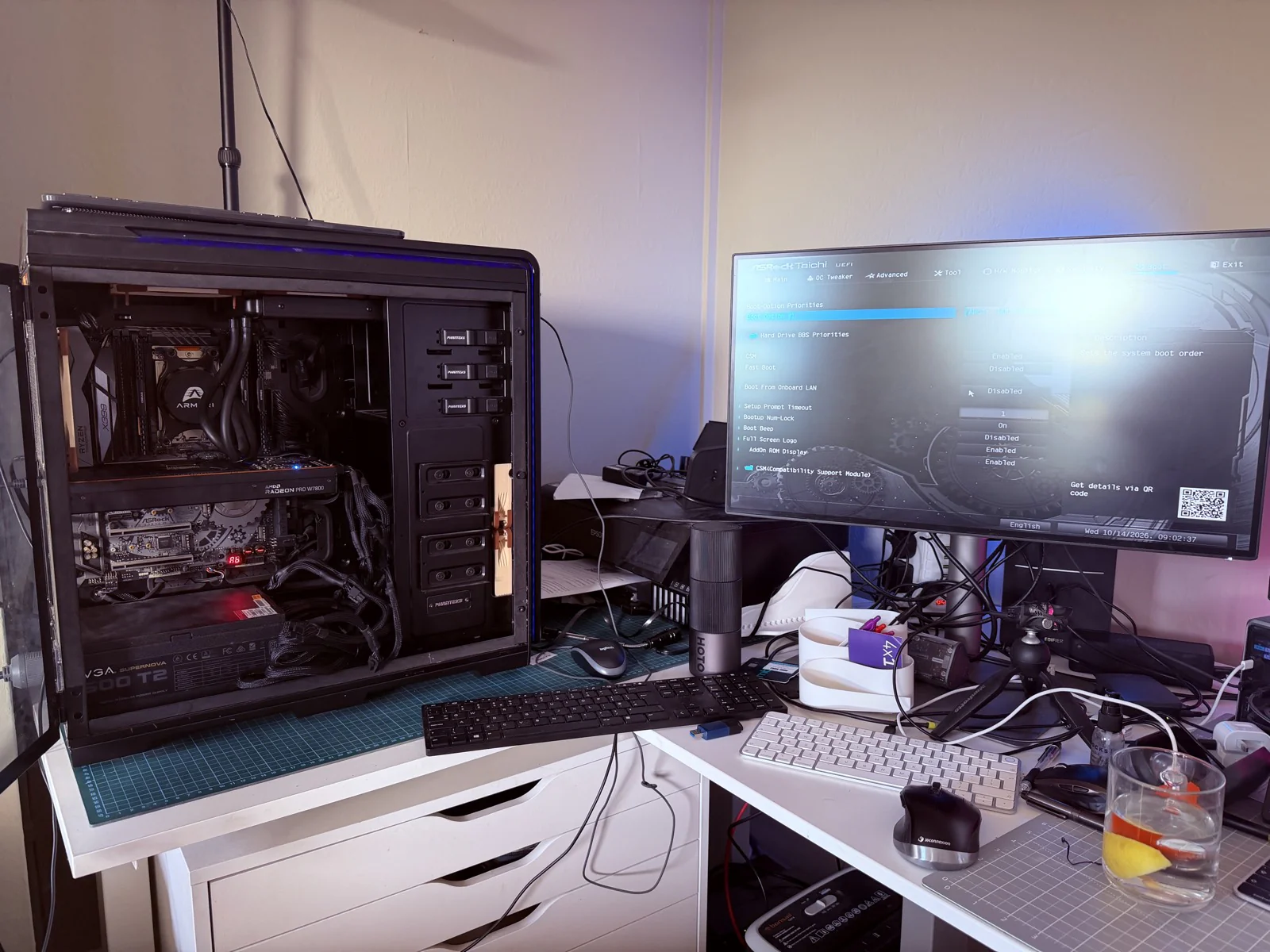
One of the great things about my career so far has been the ability to accumulate kit. Whereas before I potentially would have sold it or left it unused and in a drawer, I'm finding that, with the combination of AI and a Tailscale network, I can repurpose kit in ways that could potentially make it useful.
I have a Mac Mini that I'm using primarily as a hub, which my AI tools can talk to and also write scripts for. Through the Tailscale network, that's become a useful server. The issue is that the M2 8 GB SOC on it is probably about to hit as much as it can do effectively.
I have this old Threadripper system that was becoming obsolete with Windows 10, and it had been a render box, but now I think I'm going to convert it to a Linux box to be an AI test bed with the potential to dual boot if I need a render node as well.
For the GPU, I'm using an AMD Radeon Pro W7800, which is going to enable efficient power use and has a fantastic 32 GB of RAM. I've been able to rescue 48 GB of RAM. Interestingly, I did have 64 GB of RAM, but one of the DIMMs had died, and it was causing issues. Thanks to help from my AI tools, I was able to diagnose which was the dead RAM chip, and now I've got 48 GB running in triple channel on this machine.
I haven't ever really used Linux before, but the incredible thing about working with AI tools is that, potentially, I don't need to know the core stuff, just what I require. I've already experimented in this workflow and integrated a Raspberry Pi4 into my system. Furthermore, I find the integration of AI tools to enable me to do things that I want without having to spend hours trying to find the right file. It is incredibly useful, and I'm hoping this is going to be the same for this system.
If you've got any questions about what I'm going to do, have comments about my messy workspace, or if you want me to document this process, please get in touch.